Quick Answer
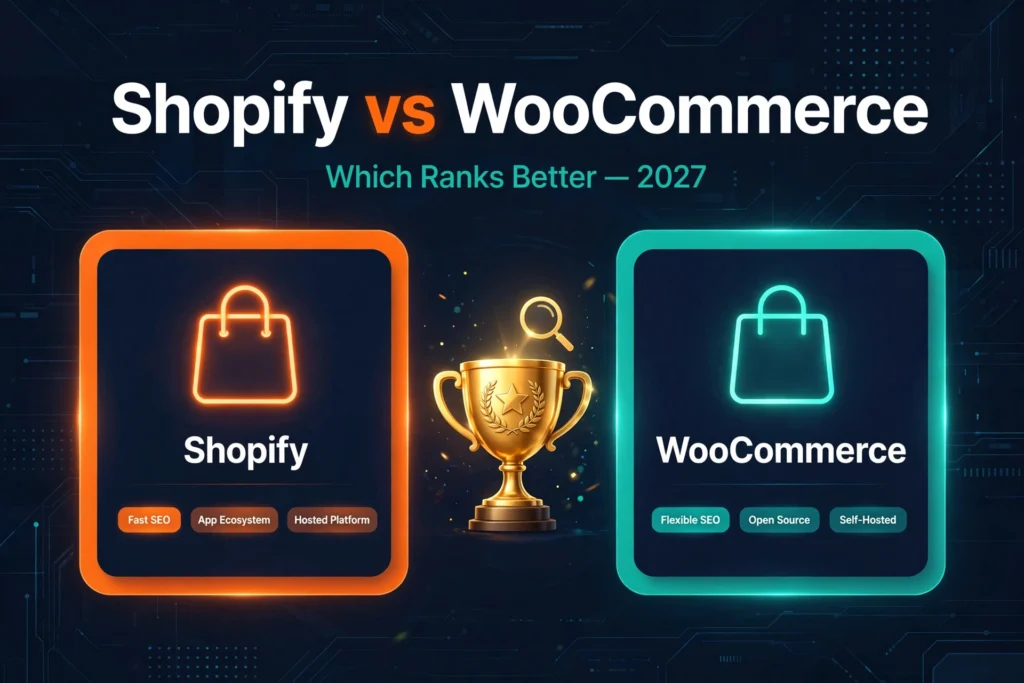
Neither platform ranks “better” — Google has no preference for Shopify or WooCommerce. Shopify gives you fast, maintenance-free technical SEO out of the box but locks down URL structure and customization. WooCommerce gives you total control over URLs, code, and structured data, but speed and technical health become entirely your responsibility. Choose Shopify if you want the technical baseline handled; choose WooCommerce if SEO is your growth engine and you have — or will hire — technical help.
What’s Actually Changed About Platform SEO by 2027
Three shifts have changed how this comparison plays out compared to the old “Shopify vs WooCommerce” articles still ranking from 2023.
AI answers now cite product pages directly. Google’s AI Overviews and AI Mode pull product details, prices, and availability straight from ecommerce pages. That makes Product structured data a citation-eligibility factor, not just a rich-result decoration — the second visibility layer AI SEO vs traditional SEO describes. The platform with more precise schema control has a real edge here.
Core Web Vitals stopped being a Shopify free win. Shopify’s hosted infrastructure historically gave it an easy speed advantage, but theme bloat and app sprawl have closed that gap from the wrong direction — plenty of Shopify stores now fail Core Web Vitals while well-built WooCommerce stores on good hosting pass comfortably. Google’s Core Web Vitals documentation still treats these as page-experience signals: a tiebreaker either platform can win or lose.
Both platforms absorbed more SEO natively. Shopify folded more SEO controls into core (better redirects, improved structured data output), reducing app dependence. WooCommerce’s block editor and maturing SEO plugins narrowed the ease-of-use gap. The practical difference in 2027 is narrower than the tribal debates suggest — which is why the framework below matters more than brand loyalty.
The 5-Point SEO Comparison Framework
These are the five dimensions where the platform choice actually changes SEO outcomes.
1. URL Structure and Control
Why it matters: clean, logical URLs help crawlers understand hierarchy, make internal linking predictable, and keep migrations survivable. Once a URL structure ships, you’re married to it — changing it later means thousands of redirects.
Shopify: this is Shopify’s most-cited SEO weakness, and it’s real. The platform forces fixed path prefixes you cannot remove: /products/, /collections/, /pages/, /blogs/. Category hierarchy is flat by default — no native sub-collections without workarounds. For most stores this is cosmetically annoying rather than ranking-fatal, but for large catalogs where URL taxonomy mirrors keyword taxonomy, it’s a genuine constraint.
WooCommerce: full control. Custom permalink structures, true hierarchical categories, and URL patterns designed around your keyword map. If your SEO strategy depends on URL architecture — and for large catalogs it should — WooCommerce wins outright.
Verdict: WooCommerce, clearly. Shopify’s URL rigidity is the single biggest structural SEO compromise on the platform.
2. Speed and Core Web Vitals
Why it matters: speed feeds Google’s page-experience signals, and on mobile — where most ecommerce traffic lives — every second of load time costs conversions long before it costs rankings.
Shopify: hosted infrastructure with a global CDN and automatic image optimization gives every store a strong baseline. The catch is everything you add on top: apps inject scripts, page-builder sections bloat the DOM — I’ve audited Shopify stores where third-party apps alone added four seconds to mobile load. The platform gives you speed; the ecosystem takes it away if you’re careless.
WooCommerce: speed is 100% your responsibility — hosting, theme, plugins, caching. A WooCommerce store on premium hosting with a lean theme will outperform a bloated Shopify store; on cheap shared hosting with 40 plugins, it’ll lose to almost anything. The ceiling is higher; the floor is lower.
Verdict: Shopify for the guaranteed baseline, WooCommerce for the higher ceiling. If you won’t actively manage performance, Shopify is safer.
3. Structured Data
Why it matters: Product, Review, BreadcrumbList, and Organization schema drive rich results — and in 2027, they’re increasingly what AI answers extract when citing your products.
Shopify: outputs valid Product structured data natively. Customization is limited without apps or theme edits — variant-level markup or fixing edge cases often needs a developer or paid app.
WooCommerce: complete control through SEO plugins and direct template access. The trade-off: nothing is automatic — misconfigured plugins can output duplicate or invalid markup, which is worse than Shopify’s decent defaults.
Verdict: WooCommerce for precision, Shopify for “good enough without thinking.” If AI-answer citation is part of your strategy, WooCommerce’s schema control is the stronger hand.
4. App and Plugin Bloat
Why it matters: every third-party extension is a potential speed tax, a JavaScript conflict, and — on WooCommerce — a security surface. Bloat is the number one reason platform migrations fail to improve SEO: the store changes platforms but keeps the same 30 extensions.
Shopify: the app store makes it dangerously easy to install first and think later. Apps load external scripts you can’t defer, and uninstalling doesn’t always remove their code.
WooCommerce: the plugin ecosystem is larger and less curated — more choice, more risk. Abandoned plugins break on WordPress updates and can take your structured data or redirects down with them. But you can replace any plugin with custom code, which Shopify never allows.
Verdict: tie — different failure modes, same discipline required. Audit extensions quarterly on either platform.
5. Migration Risk and Ownership
Why it matters: the platform you pick today determines how painful it is to leave tomorrow. Migrations are where ecommerce SEO goes to die — botched redirects routinely cost stores 30–50% of organic traffic for months.
Shopify: you’re renting. If Shopify raises prices or deprecates a feature you depend on, your options are limited. Migrating off means rebuilding URL structures that never matched your taxonomy, which makes redirect mapping messier.
WooCommerce: you own everything — code, database, URLs. Migration risk is lower, but operational risk is higher: you’re responsible for updates, backups, and security. A hacked WooCommerce store with injected spam pages will do more SEO damage than any Shopify limitation.
Verdict: WooCommerce for ownership and exit flexibility; Shopify for operational peace of mind. Pick based on which risk keeps you up at night.
Shopify vs WooCommerce: Head-to-Head SEO Table
Everything above, compressed into one reference table.
| SEO Dimension | Shopify | WooCommerce | Winner |
|---|---|---|---|
| URL control | Forced /products/, /collections/ prefixes; flat collections | Full custom permalinks, true hierarchies | WooCommerce |
| Speed out of the box | Hosted CDN, strong baseline | Depends entirely on hosting + theme | Shopify |
| Speed ceiling | Capped by platform + app scripts you can’t control | Unlimited with good hosting and lean build | WooCommerce |
| Structured data | Valid Product schema built in; hard to customize | Fully customizable; misconfiguration risk | WooCommerce |
| Content / blog SEO | Basic blogging, limited content architecture | WordPress-native: best-in-class content SEO | WooCommerce |
| App / plugin bloat risk | High — one-click installs, scripts you can’t defer | High — larger ecosystem, abandoned-plugin risk | Tie |
| Technical maintenance | Zero — Shopify handles hosting, SSL, updates | All yours — hosting, updates, security, backups | Shopify |
| International / multilingual SEO | Markets feature improving; hreflang needs apps | Full hreflang control via plugins or code | WooCommerce |
| Migration risk | Lock-in; messy URL mapping on exit | You own everything; easier to move | WooCommerce |
| Cost predictability | Subscription + app fees scale with revenue | Hosting + plugins; costs stay flatter | WooCommerce |
Tally it up and WooCommerce wins more rows — but rows aren’t weighted equally. A solo founder who will never touch code should ignore six of WooCommerce’s wins, because they’ll never use them. That’s what the verdict section is for.
Verdict by Store Size and Type
The honest answer is “whichever one you’ll actually maintain.” Here’s how I’d call it by situation, from 7+ years of client store work.
Solo founder, small catalog (under ~100 SKUs), no technical help → Shopify. Your SEO leverage comes from product content, reviews, and category copy — not URL architecture. Shopify’s baseline handles the technical side while you focus on the work that actually moves rankings. Don’t pay for control you won’t use.
Content-led brand where SEO is the growth engine → WooCommerce. If your plan is hundreds of buying guides, comparison content, and a blog that feeds product pages — the classic content-commerce model — WordPress’s content SEO superiority compounds every month. This is the setup behind the strongest organic growth I’ve delivered, including an ecommerce project that crossed 1.2M+ impressions on category and product content working together.
Mid-size store scaling past ~500 SKUs → it depends on your team. With a developer or agency retainer, WooCommerce’s URL control, faceted-navigation handling, and schema precision pay off at catalog scale. Without technical resources, Shopify’s guardrails prevent the slow technical decay that kills growing WooCommerce stores — I’ve seen more mid-size WooCommerce sites lose traffic to neglected updates than to any platform limitation.
Enterprise or high-volume → Shopify Plus vs. headless WooCommerce. At this level the platform decision is an engineering decision, not an SEO one. Both can rank exceptionally well; the differentiator is your team’s stack preference and total cost of ownership. Get an ecommerce SEO audit before committing — the migration itself is where most enterprise stores lose traffic, not the platform.
The pattern underneath: Shopify wins when simplicity is the strategy; WooCommerce wins when control is the strategy. Most stores that ask me this question already know which camp they’re in — they’re really asking for permission to trust their instinct.
What to Fix on Each Platform
Whichever you chose, these are the highest-leverage platform-audit fixes.
If you’re on Shopify, fix these first
Audit your apps and remove the dead weight. List every installed app, check which ones inject render-blocking scripts (PageSpeed Insights names them), and delete anything you installed “just to try.” I’ve seen single review apps cost more in speed than they earned in conversions.
Fix collection-page thin content. Shopify’s flat collection structure tempts stores to publish dozens of near-empty collection pages. Add unique, genuinely useful copy to every collection that targets a keyword — 150–300 words of real buying guidance.
Implement proper redirects for every URL change. Shopify’s redirect tool works, but most stores never use it consistently. Every deleted product or renamed collection needs a 301 — redirect chains and 404s on Shopify are almost always a process failure, not a platform failure.
Don’t fight the URL prefixes — work around them. You can’t remove /products/, so stop trying. Instead, make your internal linking and breadcrumb structure carry the hierarchy your URLs can’t express.
If you’re on WooCommerce, fix these first
Move to quality hosting before anything else. No plugin fixes bad hosting. If your Time to First Byte is over 600ms, every other optimization is decoration. This is the single biggest WooCommerce SEO lever and the most skipped.
Lock down your plugin list. Deactivate and delete anything unused, replace overlapping plugins, and check every remaining plugin was updated in the last six months. Abandoned plugins are a security incident waiting to become an SEO incident.
Validate your structured data. Run product and category pages through Google’s Rich Results Test. WooCommerce’s flexibility means it’s easy to end up with duplicate Product markup (theme + plugin both outputting it) — Google ignores conflicting markup, which silently kills rich results and AI-citation eligibility.
Set your permalink and category architecture deliberately. Decide your URL taxonomy once — /shop/category/product/ or flatter — set it in permalinks, and never change it casually. This is the control Shopify users envy; use it.
Common Mistakes I See on Both Platforms
- Choosing by “SEO-friendliness” scores instead of team fit. A well-run Shopify store outranks a neglected WooCommerce store every time — execution beats architecture.
- Migrating platforms to fix a content problem. If your product pages have 40-word manufacturer descriptions, moving from Shopify to WooCommerce changes nothing. Fix the content first; it’s cheaper than a migration and it works on either platform.
- Ignoring the blog-to-product internal link graph. Both platforms make it easy to publish content and hard to connect it. Buying guides that don’t link to the products they mention are traffic without revenue.
- Treating speed as a one-time project. Every new app, plugin, theme section, and tracking pixel degrades performance. Speed work that isn’t recurring isn’t speed work.
- Skipping 301 redirects during any URL change. The fastest way to destroy years of SEO equity on either platform. If you’re restructuring, map every old URL to a new one before anything goes live — this is where a technical SEO foundation earns its keep.
- Assuming AI answers will cite you automatically. Product pages need clean Product schema, factual specificity, and original content to be extraction-worthy. Template product pages get skipped by AI retrieval the same way they get skipped by shoppers.
When You’re Ready to Move Forward
Platform choice is a one-time decision; SEO is the ongoing work that decides whether the platform pays off. If you’re evaluating Shopify vs WooCommerce for a new store — or auditing an existing one that’s underperforming — the highest-value next step is a platform-specific technical audit before you commit budget to content or links. That’s the part where most stores quietly bleed traffic: the redirect gaps, the schema errors, the app bloat nobody measured.
Tanveer Evan Rahat is an AI-driven SEO consultant who has spent 7+ years growing online stores — including ecommerce projects that crossed 1.2M+ impressions and brands that grew organic traffic 800% on category architecture and technical clean-up. His Ecommerce SEO services are built for international clients: platform audits, migration-safe redirect planning, and product-page optimization priced in USD, delivered remotely. If the comparison above left you leaning one way, get an audit first — it’s cheaper than migrating twice.
Frequently Asked Questions
Does Google prefer Shopify or WooCommerce for rankings?
No. Google has no platform preference — it ranks pages, not platforms. Both Shopify and WooCommerce stores rank at the top of competitive queries every day. What Google measures (crawlability, content quality, page experience, authority) is achievable on either platform; the difference is how much work each one makes you do to get there.
Is Shopify bad for SEO because of the /products/ URL structure?
It’s a real limitation, not a fatal one. The forced prefixes (/products/, /collections/) make URLs longer and prevent true category hierarchies, which matters most for large catalogs with taxonomy-driven keyword strategies. For small-to-mid stores, clean internal linking and breadcrumbs compensate for most of it.
Which platform is faster for SEO in 2027?
Shopify is faster out of the box thanks to hosted infrastructure and a global CDN. WooCommerce has a higher speed ceiling but only with quality hosting and disciplined optimization. In practice, I’ve seen more Shopify stores fail Core Web Vitals from app bloat than WooCommerce stores fail from hosting.
Can I migrate from Shopify to WooCommerce (or back) without losing rankings?
Yes, but only with meticulous redirect mapping — every old URL needs a 301 to its new counterpart, and the URL structures differ enough between platforms that this is genuinely laborious. Most migration traffic loss comes from missed redirects, not the new platform. Never migrate without a full URL inventory and a post-launch crawl to catch 404s.
Which is better for international / multilingual SEO?
WooCommerce, because you get full control over hreflang implementation, URL structures per language, and server-level configuration. Shopify’s Markets feature has improved substantially and handles the basics well, but advanced hreflang setups and edge cases still need apps or workarounds. For a serious multi-country store, WooCommerce’s control wins.
Do I need a developer for WooCommerce SEO?
Not for the basics — modern SEO plugins handle titles, sitemaps, schema, and redirects through a UI. You need a developer (or an agency) for the things that actually differentiate WooCommerce: custom schema, performance tuning at the server level, faceted-navigation control, and fixing what plugins break. If you’ll never hire technical help, Shopify’s guardrails are the safer choice.
How does the platform choice affect AI Overviews and AI Mode citations?
Indirectly but really. AI systems extract from pages with clean structured data, factual specificity, and clear entity signals. WooCommerce’s schema control gives you more precision; Shopify’s native Product markup covers the basics. Either way, the content has to be worth citing — template product pages get skipped regardless of platform.